【AI×育児】赤ちゃんが笑顔になるミニゲームを2つ作ってみた
shota
nssence AI活用で笑顔を増やす
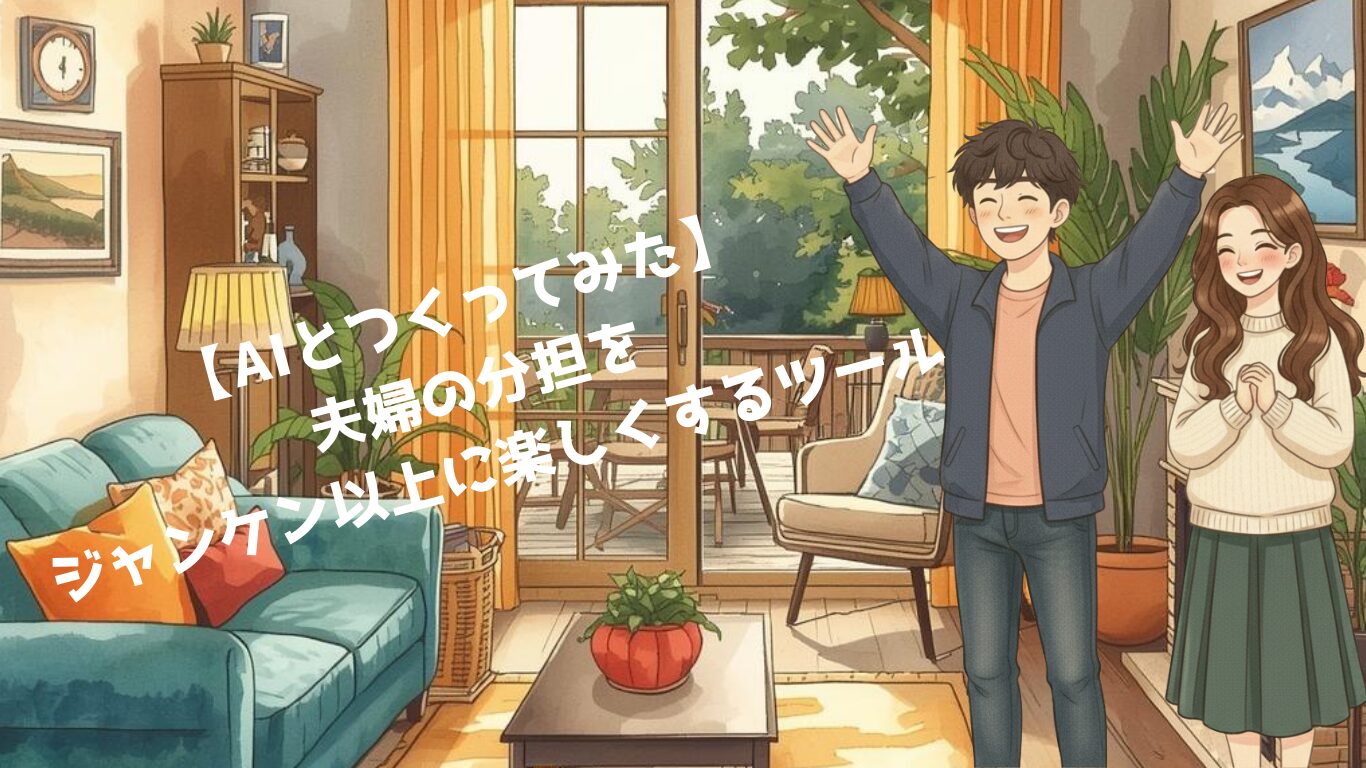
夫婦で協力して家事をしているとたまにあるのが、
「どっちがやる?」問題。
正直2人とも手が空いてるし、
どちらがやってもいい。
そんな経験きっとあると思います。
ジャンケンで決めてもいいけど。
なんか物足りない。もっとエンタメ性のある決め方ってあるのかな?
考えに考えた結果、思いついたのが
パチンコのように玉が落ちる場所でパパかママかを判定できたら面白そう!
その答えをAIと一緒に形にしたのが今回のツールです。

✔ どちらがやってもいい家事を
✔ 楽しい演出で
✔ “楽しみながら決めることができる”
ジャンケンよりちょっと楽しくて、
決めるのに時間もかからない。
“運ゲーム系”の家事決定ツールができました。
つくった方法はめちゃくちゃ簡単です。
AIにこの質問をしただけです。(今回はGeminiを使用しました)
「パパかママかどちらかを決定するツールを作りたい。
上から玉が落ちてきて釘によって落ちる場所が変則的になる。
パチンコのような感じでHTML形式でつくって」
たったこれだけです。
出来上がったコードがこちらです。
<!DOCTYPE html>
<html lang="ja">
<head>
    <meta charset="UTF-8">
    <meta name="viewport" content="width=device-width, initial-scale=1.0">
    <title>パパ or ママ </title>
    <style>
        body {
            font-family: 'Helvetica Neue', Arial, sans-serif;
            background-color: #f0f2f5;
            display: flex;
            flex-direction: column;
            align-items: center;
            justify-content: center;
            height: 100vh;
            margin: 0;
        }
        h1 {
            color: #333;
            margin-bottom: 10px;
        }
        .game-container {
            position: relative;
            box-shadow: 0 10px 25px rgba(0,0,0,0.2);
            border-radius: 15px;
            overflow: hidden;
            background: #2c3e50;
            border: 8px solid #d35400;
        }
        canvas {
            display: block;
            background-color: #2c3e50;
        }
        #controls {
            margin-top: 20px;
        }
        button {
            background-color: #3498db;
            color: white;
            border: none;
            padding: 15px 30px;
            font-size: 1.2rem;
            border-radius: 50px;
            cursor: pointer;
            transition: transform 0.1s, background-color 0.2s;
            box-shadow: 0 4px 6px rgba(0,0,0,0.1);
            font-weight: bold;
        }
        button:hover {
            background-color: #2980b9;
            transform: translateY(-2px);
        }
        button:active {
            transform: translateY(0);
        }
        button:disabled {
            background-color: #95a5a6;
            cursor: not-allowed;
        }
#result {
            margin-top: 15px;
            font-size: 2rem;
            font-weight: bold;
            height: 40px;
            text-align: center; /* テキストも中央揃え */
            width: 100%;
        }
    </style>
</head>
<body>

    <h1>どっちに決まる?</h1>

    <div class="game-container">
        <canvas id="gameCanvas" width="400" height="500"></canvas>
    </div>

    <div id="result"></div>

    <div id="controls">
        <button id="startBtn" onclick="startGame()">玉を落とす!</button>
    </div>

    <script>
        const canvas = document.getElementById('gameCanvas');
        const ctx = canvas.getContext('2d');
        const resultDiv = document.getElementById('result');
        const startBtn = document.getElementById('startBtn');

        // 設定
        const width = canvas.width;
        const height = canvas.height;
        const ballRadius = 8;
        const pegRadius = 4;
        const friction = 0.99; // 空気抵抗
        const gravity = 0.25;  // 重力
        const bounce = 0.7;    // 跳ね返り係数

        let ball = { x: width / 2, y: 50, vx: 0, vy: 0, active: false };
        let pegs = [];
        let animationId;

        // 釘の配置(ピラミッド状 + ランダム)
        function createPegs() {
            pegs = [];
            const rows = 9;
            const startY = 120;
            const spacingY = 40;

            for (let row = 0; row < rows; row++) {
                const pinsInRow = row + 3; // 行ごとに釘を増やすかどうか調整
                // 実際は均等配置の方がパチンコっぽいため、グリッド配置にします
                for (let x = 40; x < width; x += 50) {
                    // 行ごとにずらす
                    let offsetX = (row % 2 === 0) ? 25 : 0;
                    // 少しランダムに位置をずらして予測不能にする
                    let randomX = (Math.random() - 0.5) * 10;
                    let pegX = x + offsetX + randomX;

                    if (pegX > 20 && pegX < width - 20) {
                        pegs.push({ x: pegX, y: startY + row * spacingY });
                    }
                }
            }
        }

        // 初期描画
        function drawBoard() {
            ctx.clearRect(0, 0, width, height);

            // 背景の装飾(ゴールエリア)
            ctx.fillStyle = '#ecf0f1';
            ctx.fillRect(0, height - 60, width, 60);

            // 仕切り線
            ctx.beginPath();
            ctx.moveTo(width / 2, height - 60);
            ctx.lineTo(width / 2, height);
            ctx.lineWidth = 4;
            ctx.strokeStyle = '#7f8c8d';
            ctx.stroke();

            // ラベル:パパ
            ctx.fillStyle = '#3498db'; // 青
            ctx.font = 'bold 24px Arial';
            ctx.textAlign = 'center';
            ctx.fillText('パパ', width / 4, height - 25);

            // ラベル:ママ
            ctx.fillStyle = '#e74c3c'; // 赤
            ctx.fillText('ママ', (width / 4) * 3, height - 25);

            // 釘の描画
            ctx.fillStyle = '#f1c40f'; // 金色
            pegs.forEach(peg => {
                ctx.beginPath();
                ctx.arc(peg.x, peg.y, pegRadius, 0, Math.PI * 2);
                ctx.fill();
                ctx.strokeStyle = '#d35400';
                ctx.lineWidth = 1;
                ctx.stroke();
            });
        }

        // 玉の描画
        function drawBall() {
            if (!ball.active) return;

            ctx.beginPath();
            ctx.arc(ball.x, ball.y, ballRadius, 0, Math.PI * 2);
            ctx.fillStyle = 'silver'; // 銀の玉
            ctx.fill();

            // 玉の光沢
            ctx.beginPath();
            ctx.arc(ball.x - 2, ball.y - 2, ballRadius/3, 0, Math.PI * 2);
            ctx.fillStyle = 'white';
            ctx.fill();
        }

        // ゲーム開始
        function startGame() {
            // リセット
            ball = {
                x: width / 2 + (Math.random() - 0.5) * 4, // スタート位置を微妙にずらす
                y: 30,
                vx: 0,
                vy: 0,
                active: true
            };
            resultDiv.innerText = "";
            resultDiv.style.color = "#333";
            startBtn.disabled = true;
            createPegs(); // 毎回釘の位置を微妙に変える(完全にランダムにするため)

            if (animationId) cancelAnimationFrame(animationId);
            update();
        }

        // アニメーションループ
        function update() {
            if (!ball.active) return;

            // 物理計算
            ball.vy += gravity;
            ball.vx *= friction;
            ball.vy *= friction;

            ball.x += ball.vx;
            ball.y += ball.vy;

            // 壁との衝突
            if (ball.x < ballRadius) {
                ball.x = ballRadius;
                ball.vx *= -bounce;
            } else if (ball.x > width - ballRadius) {
                ball.x = width - ballRadius;
                ball.vx *= -bounce;
            }

            // 釘との衝突判定
            pegs.forEach(peg => {
                const dx = ball.x - peg.x;
                const dy = ball.y - peg.y;
                const distance = Math.sqrt(dx * dx + dy * dy);

                if (distance < ballRadius + pegRadius) {
                    // 衝突ベクトル
                    const angle = Math.atan2(dy, dx);

                    // 単純な跳ね返り処理:速度ベクトルにランダム性を加えて散らす
                    const force = 0.5; // 反発力
                    ball.vx = Math.cos(angle) * (Math.abs(ball.vx) + force) + (Math.random() - 0.5);
                    ball.vy = Math.sin(angle) * (Math.abs(ball.vy) + force);

                    // 玉が釘にめり込まないように位置補正
                    const overlap = (ballRadius + pegRadius) - distance;
                    ball.x += Math.cos(angle) * overlap;
                    ball.y += Math.sin(angle) * overlap;
                }
            });

            // 判定ライン(ゴール)到達
            if (ball.y > height - ballRadius - 5) {
                ball.active = false;
                determineWinner();
            }

            // 描画更新
            drawBoard();
            drawBall();

            if (ball.active) {
                animationId = requestAnimationFrame(update);
            }
        }

        // 結果判定
        function determineWinner() {
            drawBoard();
            // 玉を底に描画
            ctx.beginPath();
            ctx.arc(ball.x, height - ballRadius, ballRadius, 0, Math.PI * 2);
            ctx.fillStyle = 'silver';
            ctx.fill();

            // 中央より左ならパパ、右ならママ
            if (ball.x < width / 2) {
                resultDiv.innerText = "パパ!";
                resultDiv.style.color = "#3498db";
            } else {
                resultDiv.innerText = "ママ!";
                resultDiv.style.color = "#e74c3c";
            }
            startBtn.disabled = false;
        }

        // 初期化
        createPegs();
        drawBoard();

    </script>
</body>
</html>
思いつきを言葉にするだけで形にしてくれる。
発想が実現するのは本当にすごいです!
毎回釘の位置が微妙に変わる仕様で、
玉が落ちる動きは毎回違います。
そのためシンプルな動きでありながら
あっさり決まる時もあれば、
玉がどっちつかずでハラハラする展開もあります。
そしてそれが楽しいです!
妻とずっと遊んでました。笑
日常に、ちょっとしたエンタメが加わると笑顔が増えます。
家族の笑顔が何よりも嬉しいものです。
今回ツールを作ってみて、
効率と楽しさのどちらを取るかは結構重要なことだなと感じました。
効率を求めるところでは極限まで無駄を省き、
楽しさを求めるところでは付加価値を追加する。
今回のツールに関しても効率を求めるなら
ボタンを押したらすぐにどちらか決まる、
リストを作って事前にどちらがやるか決めるなど
無駄を省くことはできます。
しかしどこかシステマチックになってしまうのは否めません。
もちろん効率を求めなければならないこともありますので
どちらを目指すかは常に考えなければならないと思いました。
夫婦の関係は家庭に大きな影響を与えると思っています。
今回は家事の分担といった狭い範囲ですが、
ツールを作成して笑顔を増やすことができました。
思いつきを形にできるAIがある今の時代。
だからこそ、
誰でも生活を楽しくする工夫はできます。
私がした質問のように発想をAIに質問するだけでいいんです。
発想が浮かばなければそのことをAIに質問しても大丈夫です。
・今の状況は
・どうありたいか
・何を優先するか(時間、感情など)
質問することでAIが発想を提案してくれます。
そこからヒントを得るのはおすすめです。
ぜひみなさんもAIを活用してみて、
生活をより楽しくしてみてください。